The release is polished. Legal approved the quote. The headline works. Then the last-minute question lands in the team chat: should this go out as a PDF or a Word document?
For press releases, that choice isn't cosmetic. It affects how easily a journalist can pull a quote, whether a distribution platform ingests the copy cleanly, how much formatting survives the trip, and whether the document stays accessible after handoff. The primary mistake isn't picking the wrong file type once. It's treating PDF vs Word format as a universal rule instead of a workflow decision.
In PR, the starting format often matters more than the final attachment. A release drafted for collaboration, approvals, accessibility, and reuse usually needs one format. A release distributed for visual consistency, archiving, or read-only sharing may need another.
Table of Contents
- The Press Release Format Dilemma
- PDF vs Word At a Glance for PR Professionals
- Balancing Editability and Brand Consistency
- Navigating Distribution and Journalist Preferences
- Optimizing for SEO and Google News
- The Truth About Accessibility and Archiving
- Your Final Verdict and a Best-Practice Workflow
The Press Release Format Dilemma
Often, this question isn't addressed until a release is ready to send. That's why bad habits stick. Someone always says PDF looks more professional. Someone else says reporters hate attachments. Both can be true, depending on the job the file needs to do.
A press release moves through several hands before a journalist ever sees it. Comms teams edit it. executives approve it. Legal may compare revisions. A wire or newsroom CMS may ingest it. A reporter may want to paste a quote directly into a draft. Each stage rewards a different kind of document behavior.
Three factors usually decide the format choice.
- Reader usability: Journalists need speed. If text is hard to copy, reformat, or search, the release creates friction.
- Distribution fit: Some platforms handle clean Word files more predictably, while some recipients prefer a locked final version.
- Search and retention: A file sent by email isn't the same as a release published in a newsroom archive or media center.
Practical rule: A press release should be easiest for the next person to use, not just nicest for the sender to look at.
That shifts the conversation. The right question isn't "Which format is best?" It's "Best for what moment in the PR workflow?" A release being reviewed internally has different needs than a release being archived for future reference, and both differ from a release sent to a newsroom inbox on deadline.
PDF vs Word At a Glance for PR Professionals
A PR team may draft in Word, approve in Word, paste into a wire form, and then ask for a PDF five minutes before distribution so the release "looks final." That sequence explains the format question better than any generic pros-and-cons list. The starting format shapes how well the release survives edits, approvals, accessibility checks, CMS ingestion, and journalist use later.
As noted in PDF.net's explanation of PDF and Word rendering engines, DOCX is built from structured, reflowable content, while PDF is built to preserve a fixed presentation. For PR work, that distinction matters more than file extension preferences. It affects whether a reporter can lift a quote cleanly, whether legal can compare revisions, and whether your team can convert the file into an accessible final version without extra cleanup.
| PR criterion | Word document DOCX | |
|---|---|---|
| Editing | Easy to revise, comment on, and track changes | Poor for active editing unless converted |
| Layout behavior | Reflows based on device, font availability, and software | Stays visually fixed |
| Journalist usability | Usually easier to copy, paste, search, and reuse | Better for read-only review, weaker for quick extraction |
| Brand presentation | Can shift across systems | Preserves logo, font, spacing, and layout |
| Internal approvals | Strong for collaboration and version comparison | Less convenient during multiple review rounds |
| Accessibility setup | Better starting point for heading structure and reading order | Good only if exported and tagged correctly |
| Print and archive use | Fine for working drafts, weaker for final preservation | Better suited to formal archiving and print fidelity |
| Typical PR role | Working file | Final presentation file |
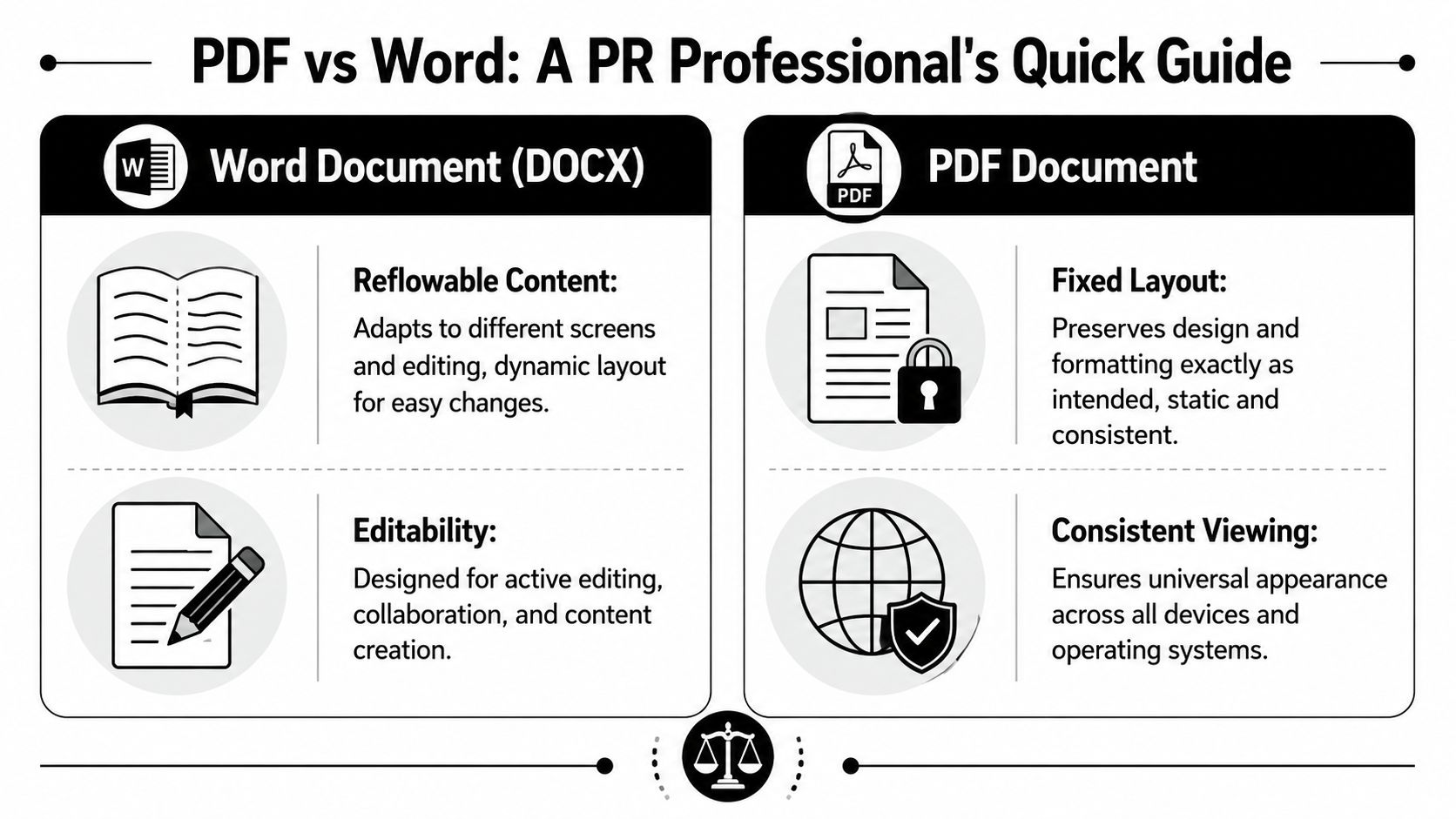
What this means in practice
Word gives comms teams a usable source file. Headings remain headings. Quotes can be updated without rebuilding the page. Reviewers can leave comments, compare versions, and catch late changes fast. If the release is being shaped against an AP style press release template, Word is usually the cleaner environment for getting the structure right before distribution.
PDF gives you output control. That matters once the text is approved and the document needs to hold its appearance across inboxes, devices, and printouts. It does not solve the earlier workflow problems. In many PR teams, it creates them if used too early.
There is also an accessibility paradox that gets missed. Teams often assume PDF is the more polished, "final" format, so it must be safer. In practice, accessibility usually depends on where the document started. A well-structured Word file can produce a tagged, readable PDF. A poorly structured source file exported to PDF often becomes a neat-looking document that is harder for screen readers, harder to remediate, and harder for journalists to work with.
File size follows the same pattern. A simple DOCX release is usually light and easy to circulate during review. A branded PDF with embedded fonts, logos, and images may present better, but it can be heavier and less forgiving in email chains.
For PR professionals, the cleanest rule is simple. Draft and approve in Word. Publish or archive in PDF only when the release no longer needs to be worked on.
Balancing Editability and Brand Consistency
PR teams usually want one thing. Journalists often need another. That's the tension behind the PDF vs Word format debate.
A PDF protects presentation. It holds the logo where it belongs, keeps line breaks stable, and prevents a carefully formatted quote block from turning into a mess on another device. For investor news, executive announcements, event media kits, and any release paired with strong visual identity, that control has value.
The problem appears the moment a reporter starts working. Press releases aren't meant to be admired. They're meant to be mined. A journalist may need a quote, a product name, contact details, or the boilerplate in seconds. An editable document or clean plain text helps. A rigid attachment often slows that down.
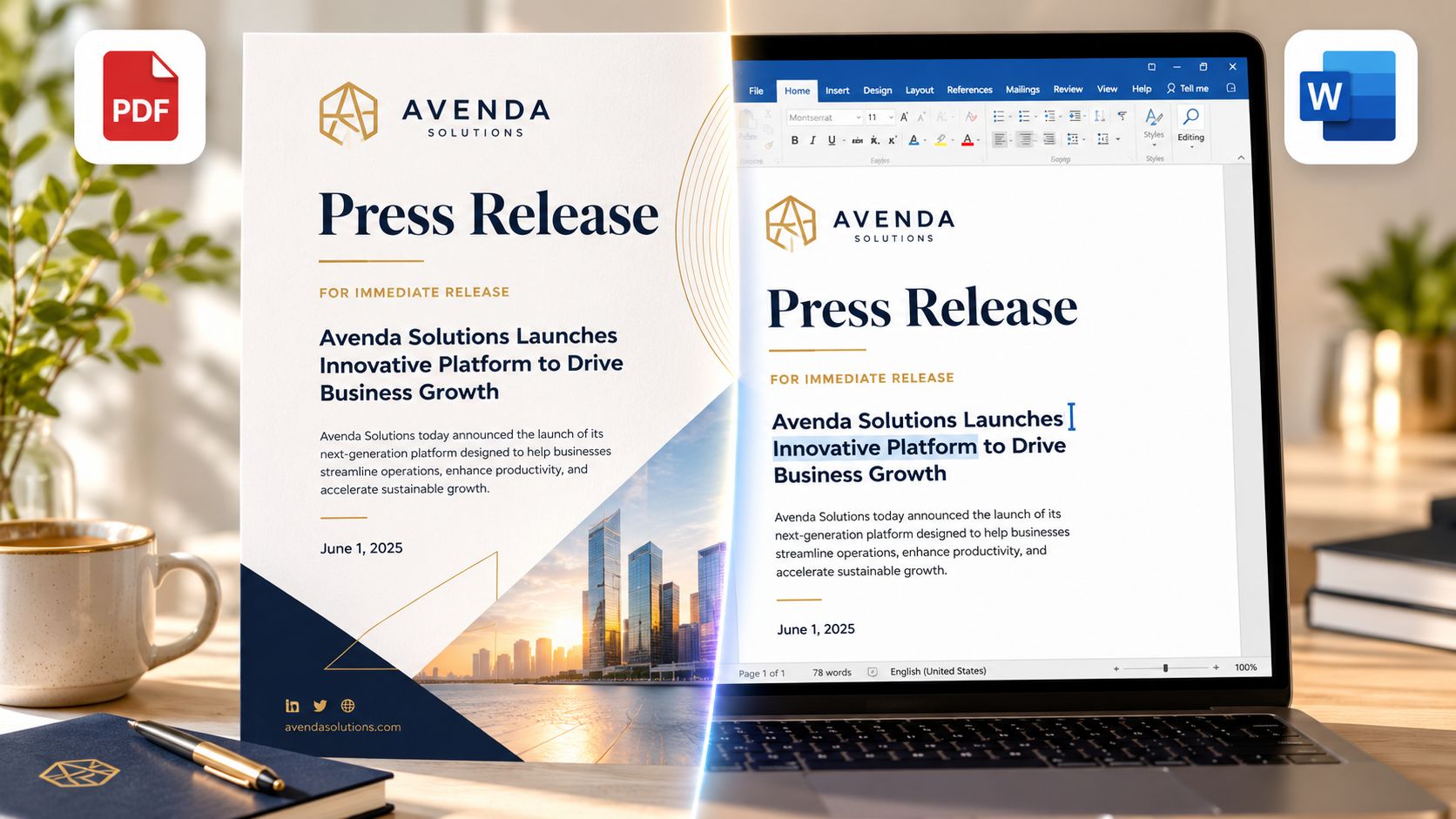
Where PDF helps
There are situations where a locked visual version earns its place.
- Brand-sensitive announcements: Product launches, partnerships, or awards often include visual standards that shouldn't shift.
- Executive-facing circulation: Board members, spokespeople, and external stakeholders may prefer a polished, read-only file.
- Formal media kits: When the release sits beside fact sheets, bios, and approved visuals, a PDF can make the package feel complete.
A polished PDF can signal care. It can also stop accidental edits when the document gets forwarded widely.
Where Word helps more
For daily media relations, practicality usually beats polish.
A journalist working in a CMS doesn't need brand fonts. They need usable text. A producer assembling a segment doesn't care that the logo stayed aligned. They care that names, titles, and quotes can be lifted without cleanup. A freelancer filing fast may ignore a pretty attachment and work from the email body instead.
Newsroom reality: The easier the release is to extract, the more likely it is to get used accurately.
This is why many PR teams keep the release itself simple and save design effort for the media kit. The copy needs to move. The surrounding assets can carry the branding.
A workable compromise
The strongest operational approach usually isn't either-or.
- Draft and approve in Word so comments, edits, and tracked changes stay native.
- Format the final text cleanly using standard press release structure.
- Export a PDF version for recipients who want a fixed, branded copy.
- Keep a plain-text or Word-friendly version available for direct media use.
For teams tightening structure before export, an AP style press release template helps reduce formatting noise that tends to become more obvious after handoff.
That balance protects the brand without punishing the recipient.
Navigating Distribution and Journalist Preferences
A reporter opens your pitch between calls, scans for the headline, and decides in seconds whether the release is usable. That decision usually has less to do with whether the file looks polished and more to do with whether the copy can move straight into their workflow.

Distribution method sets the rules. A wire service, a newsroom CMS, a direct media pitch, and an internal approval chain all handle files differently. That is why the starting format matters more than the final attachment. If the release begins life in a format that is hard to revise, parse, or repurpose, a polished export at the end does not fix the underlying usability problem.
Journalists usually want usable text first
For direct outreach, the safest assumption is simple. Journalists want copy they can read fast, quote accurately, and paste without cleanup.
That usually means the release should live in the email body or be easy to copy from an attached DOCX or plain-text version. A PDF can still help, especially for earnings releases, executive announcements, or investor-facing materials where layout and signoff matter. But as the only version, it often creates extra friction. Reporters on deadline do not want to extract text from a locked file when the same information could have been readable immediately.
A practical media send often includes three parts:
- Email body: the headline, key announcement, quote, and contact details, or the full release if length allows
- One primary attachment: a PDF if you need a fixed reference copy
- A link to supporting assets: photos, bios, backgrounders, and alternate file types
Teams building that handoff can tighten the process with this press release distribution workflow guide.
Systems care about structure
Distribution is not only about human preference. It is also about what platforms can reliably ingest.
Newsrooms, media databases, monitoring tools, and internal approval systems all work better with files that preserve headings, paragraphs, links, and basic document structure. Earlier reporting on Word and PDF parsing on LinkedIn pointed out a pattern PR teams see in practice too. Native DOCX files usually hold onto structural information better during editing and comparison, while text-based PDFs are easier to preserve visually once the document is final.
That distinction matters in PR. A journalist may prefer text in the email. A wire or archive may want a fixed copy. A comms team still needs a source file that survives legal edits, regional versions, and late quote changes without breaking the text layer or muddying revisions.
This is the hidden accessibility paradox in PR workflow. Teams often export a clean PDF at the end to create order, but accessibility and usability are usually won or lost much earlier, when the source file is drafted, reviewed, and handed between systems.
Keep Word upstream, use PDF downstream
In practice, Word is usually the better working file, and PDF is usually the better reference file.
Word supports redlines, comments, and version control with less cleanup. PDF helps preserve the approved layout once those edits stop. That split also aligns with how journalists typically work. They rarely care how the release looked in your approval deck. They care whether names, figures, and quotes copy cleanly into their story.
The same principle shows up in adjacent content operations such as mastering the Skyscraper SEO technique. Strong outputs depend on a usable source asset first, then the right presentation format for distribution.
A good rule for PR teams is straightforward. Start in the format that is easiest to revise and repurpose. Send in the format the recipient can use fastest. Archive in the format that preserves the approved record.
Optimizing for SEO and Google News
A press release file isn't a search strategy. That's where many teams lose value.
A PDF can be useful as a downloadable asset, but it shouldn't be the main version of a release if search visibility matters. Search engines can read document text, but a newsroom page in HTML gives far more control over title tags, internal linking, on-page context, metadata, and surrounding navigation. That's what helps a release live as part of a broader content system rather than as a standalone attachment floating on the web.
HTML should be the primary publication format
For SEO and discoverability, the strongest workflow is straightforward.
- Publish the release as an HTML page in the website newsroom or media center.
- Optimize that page with clear headings, strong metadata, and relevant internal links.
- Offer downloadable assets second, such as a PDF for offline sharing and a DOCX file when recipients may need editable copy.
This approach also supports newsroom usability. Journalists can read the release in a browser, copy text directly, and access related assets without downloading anything first.
PDF works best as a supporting asset
PDF still has a role. It can preserve a branded presentation, travel easily as a handout, and sit neatly inside a press kit. But on its own, it limits what teams can fine-tune for search and news discovery.
A more durable PR content model treats the PDF as a convenience copy, not the canonical version.
- Use HTML for visibility
- Use PDF for portability
- Use Word for production and reuse
Teams that already think in content hierarchy often apply the same logic used in mastering the Skyscraper SEO technique. The strongest asset becomes the central page, then supporting formats branch off from it. A press release hub works the same way. One primary page. Multiple useful derivatives.
Metadata still matters
Many newsroom pages underperform because the release is posted as a document dump instead of a web page. A proper HTML release gives room for keyword-focused headings, newsroom categories, descriptive links, and supporting context around the announcement.
For PR teams refining that layer, this guide to press release SEO keywords and metadata covers the on-page details that attachments alone can't carry.
The Truth About Accessibility and Archiving
A familiar PR scenario goes like this. The team signs off on the release, exports a polished PDF, and assumes the accessibility box is checked. Then a journalist tries to copy a quote, a screen reader hits a broken reading order, or legal asks for an archive-ready record months later. The format looked finished. The workflow was not.
Accessibility problems usually start in the source file, not in the export. That is the hidden paradox in PR. PDF is often treated as the safer format because it looks fixed and formal, yet Word is usually the easier place to build accessibility correctly while the release is still being edited.
The Allyant discussion of 2026 accessibility guidance for Word and PDF makes that distinction clearly. Word is easier to structure accessibly at the drafting stage, while PDF often needs extra remediation after conversion. For PR teams, that matters more than the usual PDF versus Word debate because releases pass through comms, legal, executives, and distribution staff before anyone sees the final file.
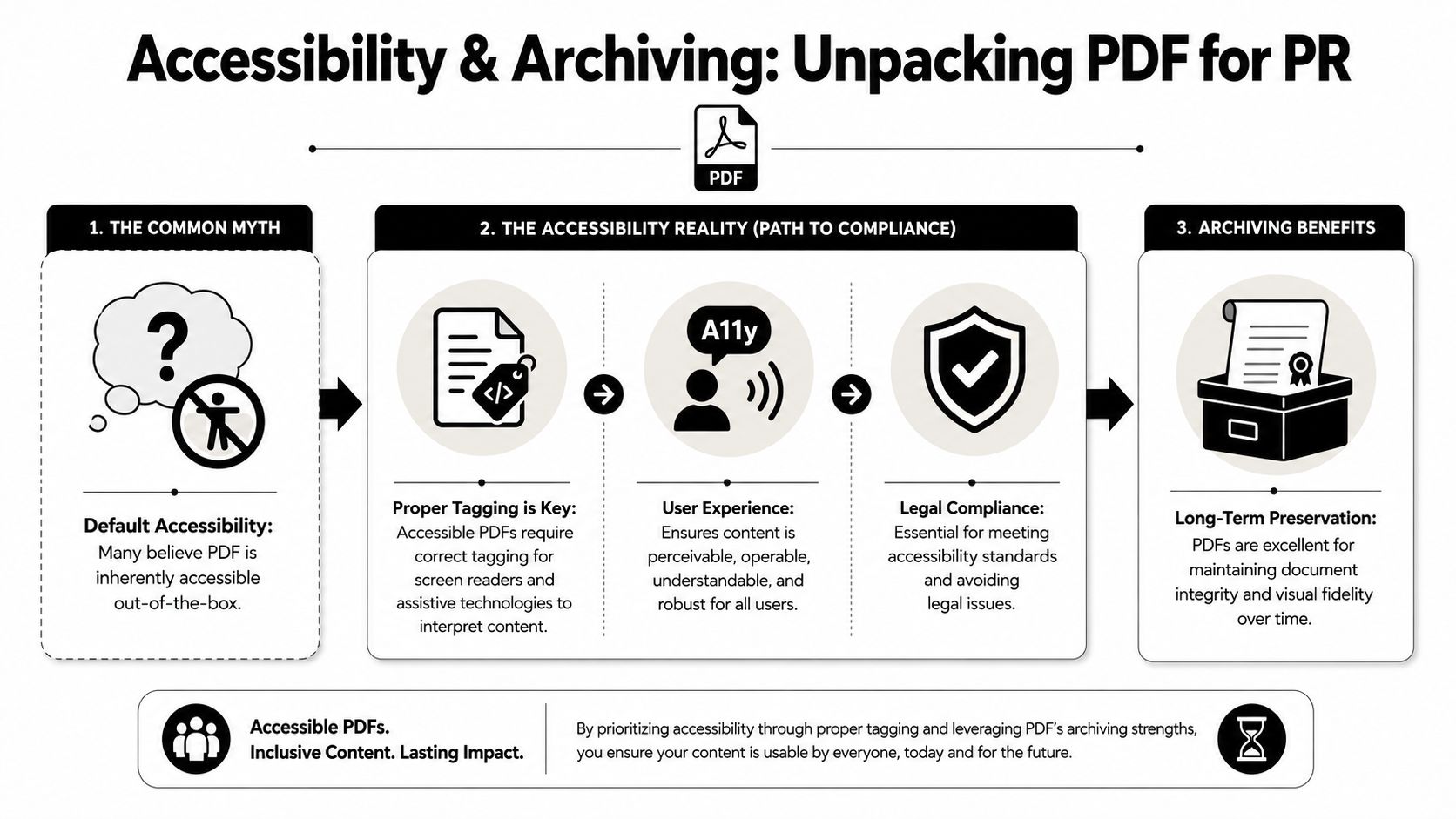
Why the starting format matters
A press release built cleanly in Word carries its structure forward. Headings remain headings. Links can stay descriptive. Alt text, tables, and reading order can be reviewed before the file gets locked down.
That is the practical lesson many teams miss.
If the release starts as a visually arranged document instead of a properly structured one, the PDF export preserves the presentation but can also preserve the flaws. Fixing those issues late is slower, more technical, and easy to skip when a launch is already under deadline pressure.
A better workflow is simple. Draft accessibly in Word. Review and approve there. Export the PDF only after the content and structure are final.
Practical accessibility habits for press releases
Press releases rarely need elaborate remediation if the source document is disciplined from the start.
- Use real heading styles: Do not simulate hierarchy with bold text and bigger fonts.
- Write links that mean something: "Download the executive bio" gives context. "Click here" does not.
- Add alt text where the image carries information: A product diagram or chart needs it. A decorative headshot may not.
- Keep layouts plain: Text boxes, nested tables, and design-heavy formatting often create trouble in both PDF conversion and assistive technology.
Teams setting wider newsroom standards can borrow from Raven SEO accessibility strategies, especially when releases are published across a broader content system and not just sent as attachments.
Archiving is a separate decision
Accessibility and archiving overlap, but they are not the same requirement. For retention, PDF still has the stronger case because PDF/A is the archival standard built for long-term preservation. It is designed to keep the file self-contained and stable over time, which matters for official announcements, regulated industries, and historical media libraries.
Word remains the better working format. PDF is often the better record format.
That split reflects real PR operations. One format helps teams create, revise, and verify. The other helps them preserve the final version in a form that is less likely to shift across systems, software versions, or future handoffs.
Your Final Verdict and a Best-Practice Workflow
The answer isn't PDF or Word. It's Word first, HTML first for publishing, PDF last for presentation and archive.
That sequence reflects how press releases move. They start as working documents, become web content, then get packaged into portable files. Teams run into trouble when they force one format to do all three jobs.
The practical decision checklist
Use Word when the release is still moving through edits, approvals, legal redlines, or collaboration.
Use HTML when the release goes live in the newsroom and needs search visibility, internal linking, and easy browser-based reading.
Use PDF when the release needs fixed branding, read-only presentation, formal sharing, or archival storage.
The workflow that holds up under pressure
A reliable PR workflow looks like this:
- Draft in Word with clean heading structure and accessibility in place.
- Review and approve in the native file so edits and comparisons stay accurate.
- Publish the final release as an HTML newsroom page.
- Export a branded PDF for media kits, stakeholder circulation, and archive.
- For direct outreach, paste the release into the email body when possible and treat attachments as supporting assets.
The winning format is the one that removes friction for the next step in the chain.
That mindset cuts through the false binary. In practical terms, the best teams don't choose one file type out of loyalty. They assign each format a job and keep the source clean enough to support all of them.
Press Release Zen helps teams turn that kind of workflow into repeatable practice. For templates, formatting guidance, distribution tips, and practical press release resources, explore Press Release Zen.