A small business owner can spend hours polishing an announcement, attach a logo, choose a dramatic headline, and still hesitate at the final step: what should the press release look like? That hesitation is justified. Editors rarely read a release from top to bottom on the first pass. They scan for the news, the date, the source, and a fast way to reach the right person.
Formatting a press release is therefore more than choosing a font or making a document look professional. It means arranging information so an editor can understand the announcement in an email preview, on a phone, inside a newsroom content system, or in a downloadable document. Traditional AP-style conventions still matter, but digital distribution adds new pressures around plain text, mobile readability, search visibility, accessibility, and subject-line performance.
The guidance below focuses on the choices that survive real newsroom workflows, including what should remain traditional, what should be simplified, and which small errors make a release harder to use.
Table of Contents
- Why Press Release Formatting Matters More Than You Think
- The Essential Building Blocks of Every Press Release
- Setting Up Margins, Fonts, and Page Layout
- Digital vs Traditional Press Release Layouts
- Formatting Mistakes That Hurt Your Pickup
- A Ready-to-Use Press Release Template With Formatting Notes
- Final Checklist and What Press Release Formatting Looks Like Next
Why Press Release Formatting Matters More Than You Think
A founder finishes a product announcement and sends it to a carefully selected journalist. The news itself may be relevant, but the email contains a centered headline, a huge logo, several colored text blocks, and a long opening paragraph. The dateline sits halfway down the page. The editor has to search for the announcement date and identify the media contact before deciding whether the story is usable.
That release may be accurate, but its layout creates work. Editors scan rather than study, so the document has to reveal its value quickly. A clear headline, visible dateline, concise lead, short paragraphs, and accessible contact block help the recipient decide what to do next without decoding the design.

Surface polish versus structural clarity
Surface polish includes consistent type, sensible margins, and clean spacing. Those details matter because a messy document can signal careless preparation. They aren't the main reason an editor uses a release, though.
Structural formatting carries more weight:
- Headline placement: The news should appear before branding and decorative material.
- Dateline visibility: The location and date should be easy to identify at the beginning of the body.
- Inverted-pyramid order: The most important facts belong first, followed by context and detail.
- Contact access: A journalist shouldn't have to search a website to find a direct email address.
- Plain-text resilience: The release should still make sense after email software strips styling.
Historical context helps explain why these conventions endure. Press releases are widely traced to the late 1800s, with historical accounts placing their emergence in the 1880s as a practical response to newspaper production needs, according to Colorado State University's press release writing guide. Early releases were usually compact, standardized documents designed for editors, typesetters, and newsroom handling.
Practical rule: A release should look polished enough to trust, but plain enough to reuse.
The best formatting doesn't force editors to admire the page. It lets them find the story, copy useful passages, verify the source, and contact the organization with minimal friction.
The Essential Building Blocks of Every Press Release
Editors expect a recognizable sequence. A release can include a logo, subhead, or hyperlink, but the core order should remain stable so the reader knows where to find each piece.

1. Headline
The headline is the most-scanned line in the document and the subject line's natural companion. It should state the announcement clearly, use sentence case where possible, and emphasize the news rather than a slogan.
“Acme launches scheduling platform for independent clinics” gives an editor a usable starting point. “Acme revolutionizes the future of healthcare forever” creates curiosity without explaining the event.
Avoid exclamation marks, promotional adjectives, and unexplained internal terms. A strong headline can attract attention without sounding like an advertisement.
2. Dateline
The dateline belongs at the beginning of the body and follows the AP-style pattern of an all-caps city name, followed in most cases by the state, county, or territory and the date. Purdue OWL's AP-style guidance describes datelines as a standard opening element in journalistic copy.
A typical structure looks like this:
DENVER, Colo., September 1, 2026. Acme today announced…
The exact treatment can vary by outlet or distribution service, but the location and date shouldn't be buried in a header or metadata field.
3. Lead paragraph
The lead answers who, what, when, where, why, and how. It doesn't need to answer every question with equal detail, but a reader should understand the announcement after the first paragraph.
The lead should name the organization, state the action, identify the relevant audience or location, and explain why the news matters. Links can support the announcement, but they shouldn't replace essential facts in the copy.
4. Body
The body supplies the evidence and context that make the lead credible. It can explain the product, event, appointment, research, partnership, or organizational change, then add a relevant quote from an identified executive or subject-matter expert.
Short paragraphs work better than dense blocks. Each paragraph should have one job, such as explaining the change, describing its significance, or providing background.
5. Boilerplate
The boilerplate is the organization's concise “about” section. It should describe what the organization does and provide relevant context, not repeat sales copy or become a mission statement disguised as advertising.
A useful boilerplate gives the editor language that can be reused when a story needs brief company background. Organizations building a reusable media resource can also review the Formcarry press kit for ideas about organizing supporting brand and press materials.
6. Contact block and end marker
The contact block should include the media contact's name, title, phone number, and email address. If investor, partnership, or customer-support contacts differ, label them separately rather than combining every address into one confusing list.
The final marker, commonly ### or -30-, signals that the document has ended. It isn't the news, but it gives the editor a clear visual stopping point and helps distinguish the release from material that may follow in an email thread.
Setting Up Margins, Fonts, and Page Layout
A press release page should look like working editorial copy, not a brochure. The safest setup uses a single column, left-aligned text, readable type, and enough white space to separate ideas without stretching the document unnecessarily.
For a print or PDF version, one-inch margins on every side provide a familiar page boundary. A plain-text email can use narrower spacing, including 0.75-inch margins when a document is being prepared for an email-friendly layout, but the priority remains readable line length and clean paragraph breaks.
Use 11 or 12 point Times New Roman, Arial, or Helvetica. Serif type can work well in a document intended for printing, while a clean sans-serif often feels more natural on screen. Avoid decorative fonts, oversized headlines, colored body copy, and multiple typefaces.
Page setup quick reference
| Element | Recommended setting | Why it matters |
|---|---|---|
| Margins | One inch for print and PDF, with 0.75 inches possible for email-friendly layouts | Preserves a familiar page shape and usable white space |
| Font | 11 or 12 point Times New Roman, Arial, or Helvetica | Supports comfortable reading and reliable rendering |
| Columns | Single column | Prevents awkward reflow in email clients and newsroom systems |
| Alignment | Left aligned, ragged right | Keeps spacing predictable on mobile screens |
| Paragraph spacing | Single-spaced with one blank line between paragraphs | Makes scanning easier without wasting vertical space |
| Body styling | Black or dark text, minimal emphasis | Keeps the release legible and easy to repurpose |
| File format | Word .docx for general use, Google Docs for collaboration, PDF when layout must remain fixed |
Matches different editing and preservation needs |
| Email body | Plain text or simple HTML with clear spacing | Protects meaning when styling is stripped |
| Release URL | On its own readable line near the end or in a clearly labeled resource area | Makes copying and opening the link straightforward |
Justified text often creates irregular gaps between words, especially when a narrow mobile screen reflows the paragraph. Ragged-right alignment looks less formal, but its consistent spacing is easier to read and less likely to produce distracting “rivers” of white space.
A small logo can appear in a header or media asset area, but the body shouldn't depend on color or imagery to communicate meaning. If a release needs a preserved visual layout, PDF is reasonable. If an editor needs to copy, revise, or syndicate the text, .docx is usually more practical. Teams that dictate drafts can review guidance on how to optimize dictation in Word before cleaning the final document.
For a field-by-field example, the AP-style press release format sample can help teams compare the visual setup with the underlying structure.
Digital vs Traditional Press Release Layouts
Traditional releases were built for printed pages and newsroom handling. Digital releases travel through email inboxes, wire-service forms, content management systems, web pages, and mobile screens, so the strongest format preserves editorial conventions while removing visual choices that don't survive transmission.
A centered title may look formal on paper, but left alignment makes the hierarchy clearer in an email body. ALL-CAPS headlines can resemble system labels or spam triggers, while sentence case reads more naturally in search results, social previews, and mobile notifications. Subheads can help scanning when they add information, but they shouldn't become decorative slogans.
| Element | Traditional print or wire | Digital email, SEO, and mobile |
|---|---|---|
| Headline | Formal, prominent, sometimes centered | Sentence case, descriptive, and easy to scan |
| Body alignment | Left aligned with page margins | Left aligned with short paragraphs and visible spacing |
| Subhead | Optional explanatory line | Useful when it adds search and context value |
| Images | Logo or approved media asset | Linked or separately attached, with plain-text fallback |
| Links | Printed or embedded in the document | Written as readable URLs or descriptive linked text |
| Styling | Bold labels and page hierarchy | Minimal styling that survives stripped HTML |
| End marker | Centered ### or -30- |
Retained as a clear text signal |
Headline length deserves judgment rather than a rigid rule. Recent guidance reports that high-performing headlines can fall in the 76–100 character range, challenging the older 51–75 character convention, as discussed in Prowly's press release format guide. The practical test is whether the key action and subject remain visible when a mail client or search interface truncates the line.
Plain-text rendering changes the design equation. Bold labels may disappear, logos may become broken attachments, and button-style links may lose their destination. The release should still communicate its hierarchy through line breaks, descriptive labels, short paragraphs, and explicit URLs.
The distribution channel should decide the final version. A wire submission may need stricter field formatting, an email pitch should favor a clean body, and a website copy can support richer links and media. Guidance on the PDF versus Word format helps teams choose based on whether preservation or editing matters more.
Formatting Mistakes That Hurt Your Pickup
An editor scanning a release in an email preview may decide whether to keep reading before opening the attachment. Formatting determines how quickly that decision becomes possible. A release can contain legitimate news and still lose attention if its location, timing, or main point is hard to find.
The highest-cost errors
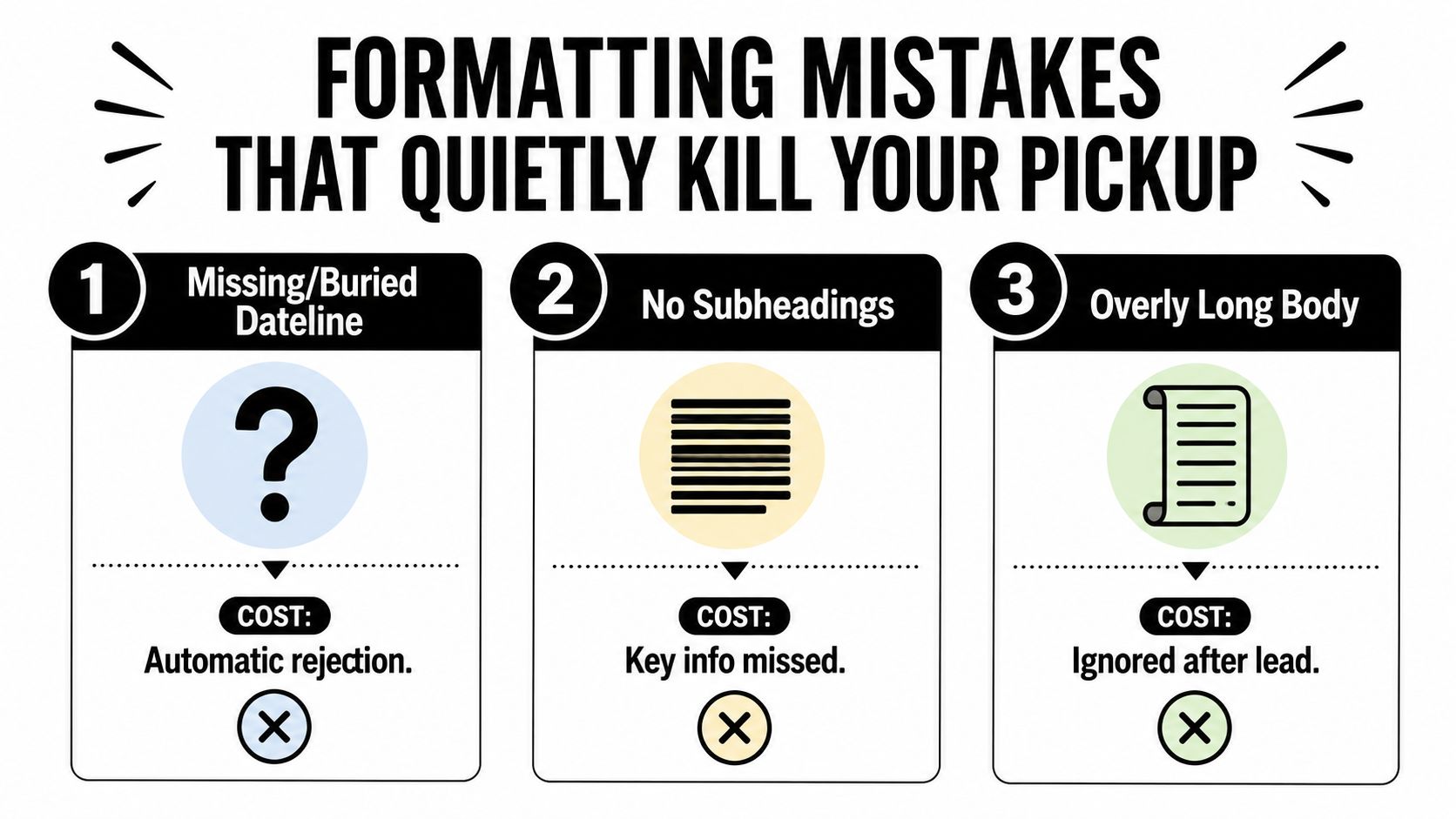
A missing or buried dateline creates immediate uncertainty. If the editor cannot identify where and when the announcement occurred, the copy feels incomplete and harder to verify. Place the all-caps city and date at the start of the first body paragraph, where they remain visible on desktop and mobile.
A wall of text without subheads or paragraph breaks makes the reader search through every sentence for the news. Separate the lead, quote, context, and boilerplate into distinct blocks. Add a subhead only when it gives the reader useful orientation, rather than styling every transition.
An overlong body pushes the lead and contact details beyond the visible opening. Put the news first, then remove background that does not help an editor develop the story. One press-release guide recommends 400–500 words and identifies 500 words as an ideal ceiling. Earlier descriptions of the format present it as one or two pages of standardized copy, as outlined in Colorado State University's guide.
Less obvious failures
Justified paragraphs can produce uneven word spacing, especially in narrow mobile views. Underlining may look like a hyperlink, while excessive bolding makes every sentence compete for attention. Use left alignment, restrained styling, and one clear emphasis level for headings.
Embedded images can fail in plain-text clients or arrive as unnecessary attachments. Keep the news in text, supply images separately when appropriate, and add useful alternative text when an image appears in the public-facing version.
Hashtag-heavy headlines, emoji-filled subject lines, and exaggerated punctuation can make a legitimate announcement look promotional or automated. Subject lines need the same editorial judgment as the release itself. A 2025 study tracking 1.2 million pitch emails reported an average journalist open rate of 21%, with generic or corporate subject lines averaging 12–15%, strong specific lines reaching 35–45%, and highly personalized lines reaching 8–12% response rates, according to Get Press Forge's subject-line benchmark. The practical lesson is to test a clear, news-led subject instead of decorating a vague one.
A contact block without a direct phone number or email address turns interest into a search task. Keep it visible, label it clearly, and test every link and address before distribution.
A Ready-to-Use Press Release Template With Formatting Notes
The following compact example applies the structure to a fictional product launch. Bracketed notes describe the formatting decision and should be removed before sending. A reusable AP-style press release template can provide a separate clean version for production.

Annotated example
FOR IMMEDIATE RELEASE
[Use this label when the news can be published immediately. Remove it for a confidential draft or replace it with clear embargo language.]
Northstar launches appointment platform for neighborhood clinics
[Sentence case keeps the headline readable in email previews and search interfaces.]
New tool gives independent practices a simpler way to manage patient scheduling
[The subhead adds context without repeating the headline.]
DENVER, Colo., September 1, 2026. Northstar today launched Northstar Bookings, an appointment platform designed for independent clinics that want to manage scheduling from one shared online workspace.
The platform brings appointment requests, calendar updates, and patient reminders into a single dashboard. Northstar says the release is intended to reduce administrative friction for small practices without requiring a complex implementation.
“Independent clinics need tools that fit the way their teams already work,” said Maya Chen, Northstar chief executive officer. “Northstar Bookings gives staff a clear view of appointments while keeping the patient experience straightforward.”
The platform is available through Northstar's website, where clinics can review product details and request information. [Keep the main link descriptive and place it on its own line in the final version.]
About Northstar
Northstar builds scheduling software for independent healthcare organizations. The company develops tools for teams that need accessible digital workflows and practical administrative support.
[Put the organization or product URL on a separate line so it remains visible in plain text.]
Media contact
Jordan Lee
Communications Director
jordan.lee@northstar.example
(000) 000-0000
Investor contact
Taylor Morgan
investors@northstar.example
Formatting notes
The document should use a single column, left alignment, readable 11 or 12 point type, and consistent paragraph spacing. The quote belongs after the lead and initial explanation because it adds a human voice without delaying the essential announcement.
The boilerplate stays near the end, while media and investor contacts remain separate. The triple-hash marker follows the final contact information:
When styles are stripped, the hierarchy should remain understandable through capitalization, blank lines, labels, and the order of information. That plain-text test catches problems that a polished PDF can hide.
Final Checklist and What Press Release Formatting Looks Like Next
A release is ready for distribution when the following checks pass:
- Headline: States the news clearly and avoids promotional clutter.
- Subhead: Adds context instead of repeating the headline.
- Dateline: Uses the correct city and date placement.
- Lead: Communicates the essential who, what, when, where, why, and how.
- Body: Moves from important facts to supporting context.
- Boilerplate: Describes the organization without ad copy.
- Contacts: Includes a named media contact with direct phone and email access.
- File name: Identifies the organization and announcement clearly.
- Channel: Matches the format to email, wire, website, or attachment use.
- Plain-text test: Remains readable after styles, images, and buttons disappear.
Accessibility and localization now make formatting decisions more consequential. Public-facing releases should provide meaningful alt text for informative images, readable contrast, and a plain-text equivalent. Multilingual teams may need to adjust left-to-right or right-to-left flow, punctuation, and localized date formats rather than translating an English layout mechanically.
Emerging distribution environments also favor structured, reusable content. Newsroom systems, search platforms, and AI-curated feeds can extract information more reliably when the headline, date, organization, body, and contact details are clearly separated. Traditional conventions aren't disappearing, but they work best as a durable semantic framework rather than an inflexible visual template.
Teams refining their wider communications identity can also consult practical personal branding articles, particularly when the release needs to align executive visibility with organizational messaging. The strongest approach keeps the release easy to scan, easy to translate, easy to access, and easy to republish.
Press Release Zen offers practical guides, AP-style examples, distribution advice, and ready-to-use templates for teams that need a cleaner formatting press release workflow. Visit Press Release Zen to compare format options, check release structure, and prepare an announcement editors can use quickly.