Key Takeaways
- Word documents are generally preferred by journalists because they allow easy copying, editing, and extraction of quotes without extra steps.
- PDFs are best for brand-heavy releases where visual formatting and logo placement must stay exactly as designed.
- Pasting your press release directly into the email body is often the most journalist-friendly approach of all.
- Follow best practices regardless of format: use short paragraphs, lead with the most important information, apply bold text strategically, stick to clean standard fonts, and write in third person.
- AmpiFire’s AmpCast AI expands any press release beyond a single PDF or Word document by converting it into 8 content formats and distributing them across 300+ high-authority platforms, so your announcement reaches audiences across multiple channels.
PDF vs. Word for Press Releases
A press release should make a journalist’s job easier. Reporters need to copy quotes, adjust headlines, and move content into their publishing systems quickly. If the format slows them down, it reduces the chances of coverage.
In most media outreach situations, a Word document or text placed directly in the email body works best. It allows editors to copy and edit without obstacles. A PDF can serve a purpose in specific cases, such as investor relations or formal documentation. However, when pitching journalists, Word remains the more practical and effective choice.
Why Press Releases Don’t Work Anymore
Smart Businesses Are Moving Beyond Traditional PR
• The Problem: Press releases reach one audience through one channel, while your customers are everywhere online. Most get buried within days with poor ROI.
• The Solution: AmpiFire’s AmpCast creates 8 content formats (news articles, blog posts, interview podcasts, longer informational videos, reels/shorts, infographics, flipbooks/slideshows, and social posts) from a single topic and distributes them across 300+ high-authority sites, including Fox affiliates, Spotify, and YouTube.
What You’ll Learn on PR Zen:
✓ Why multi-channel content delivers 10x better results than press releases
✓ How to amplify your PR efforts across multiple platforms
✓ Real case studies of businesses dominating search, social, video, and podcasts
✓ Cost-effective alternative to expensive PR agencies
Ready to Replace Press Releases? Learn the AmpiFire Method →
The Case for Sending a Press Release as a PDF
Formatting Stays Intact Across All Devices
One clear advantage of a PDF is visual consistency. When you send a PDF, the recipient sees the document exactly as you designed it. The layout remains the same whether it is opened on a Mac, a Windows computer, or a mobile device. Fonts, spacing, logo placement, and images stay in position.
This benefit matters most when the press release also serves as a branded document. If the release includes a company letterhead, product images, or a carefully designed layout that reflects brand identity, a PDF preserves that structure.
Protects Against Unauthorized Edits
A PDF is read-only unless someone uses editing software. This provides protection when the wording must remain exact.
For legal announcements, financial disclosures, or releases that went through formal review, this control can be important. You know that the recipient reads the approved version without alteration.
However, these scenarios are specific. In standard media outreach, choosing PDF simply because it appears more professional can work against your goal.
Journalists prioritize speed and ease of use. A format that slows access to the text reduces the likelihood of coverage.
The Case for Sending a Press Release as a Word Document
Journalists Can Extract Quotes & Data Instantly
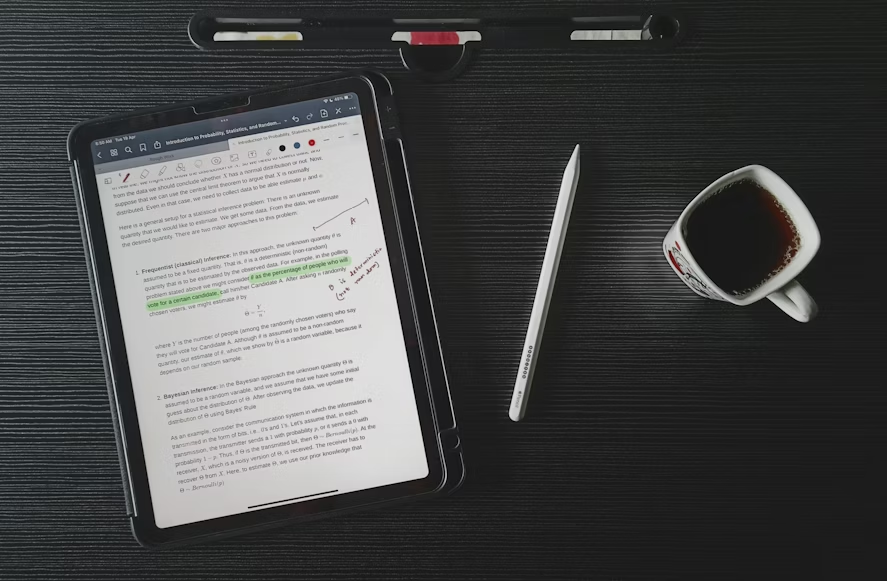
When a journalist wants to use a quote from your press release, a Word document allows them to copy and paste the text immediately. A PDF often requires retyping or conversion before the content can be used. Each additional step adds friction and increases the risk of small errors.
Newsrooms operate under tight deadlines. A format that allows direct access to text supports faster review and publication. Word removes unnecessary obstacles and keeps the process simple.
Easier to Edit for Publication
Journalists rarely publish a press release exactly as written. They shorten sections, adjust structure, and incorporate key details into a broader story. A Word document supports this process. Editors can highlight sections, insert comments, and make revisions directly within the file.
This approach does not mean you lose control of your message. It shows respect for how journalists work. When your content fits naturally into their workflow, it is more likely to be used accurately and without delay.
Lightweight File Size
Word documents are often smaller than PDFs, especially when they do not contain large images. Many email systems restrict attachment size, and large files may fail to deliver or trigger spam filters.
A smaller, simpler attachment increases the likelihood that your press release reaches the intended recipient without technical issues.
Email Body vs. Attachment: What Editors Prefer
Pasting your press release into the body of the email is often the most practical delivery method. It requires no download, displays properly on desktops and smartphones, and allows editors to review the content immediately without opening another application.
Many newsrooms discourage staff from opening unsolicited attachments because of security risks. When the full press release appears in the email body, editors can read and evaluate the story without concern about file safety.
Attachments still have value. The best approach is to treat the attachment as a supplement, not a substitute. When the complete press release appears in the email body, an editor can decide whether to cover the story before opening any file.
Press Release Formatting Best Practices That Apply to Any Format
These formatting standards apply to every press release, regardless of whether you send it as a Word document, a PDF, or place it directly in an email.

1. Keep Paragraphs to Two to Four Sentences
Long blocks of text discourage engagement. Journalists scan for relevant information, so each paragraph should communicate one clear idea and move forward. Two to four sentences per paragraph provide enough space to explain a point while keeping the content easy to review.
This structure works across all formats. Short paragraphs also display more clearly on mobile devices, where many journalists first review incoming emails.
2. Lead With the Most Important Information
The inverted pyramid structure remains the foundation of press release writing. Place the most important information in the opening paragraph. Follow with supporting details, quotes, and background information in decreasing order of importance.
If a journalist reads only the first paragraph, they should still understand the announcement. Clear prioritization improves readability and increases the chance of accurate coverage.
3. Use Bold Text to Highlight Key Details
Careful use of bold text helps journalists identify essential information quickly. You may bold your company name on first reference, a key statistic, a product name, or a launch date.
Use restraint. When too much text appears in bold, nothing stands out. A journalist should be able to scan the highlighted elements and understand the main point within seconds.
4. Stick to a Standard, Clean Font
Arial, Times New Roman, Georgia, and Calibri are reliable choices. Use 11-point or 12-point font for body text. Keep headers modest in size and avoid decorative fonts.
Uncommon fonts may not display correctly on another device. Standard system fonts reduce formatting inconsistencies and ensure your document appears professional across platforms.
5. Write in Third Person
Press releases follow a formal structure. Avoid first-person statements such as “we are excited to announce.” Instead, use third-person phrasing such as “[Company Name] announced today.”
The only exception applies to direct quotes from a spokesperson. Third-person writing makes your press release easier to incorporate into a news article. When the release already reads like a news report, journalists can adapt it more efficiently.
Amplify Your Reach Beyond Press Releases with AmpiFire
Choosing between PDF and Word improves usability, but it does not solve the larger limitation of traditional press releases. Even a perfectly formatted release remains a single document distributed through a narrow channel.
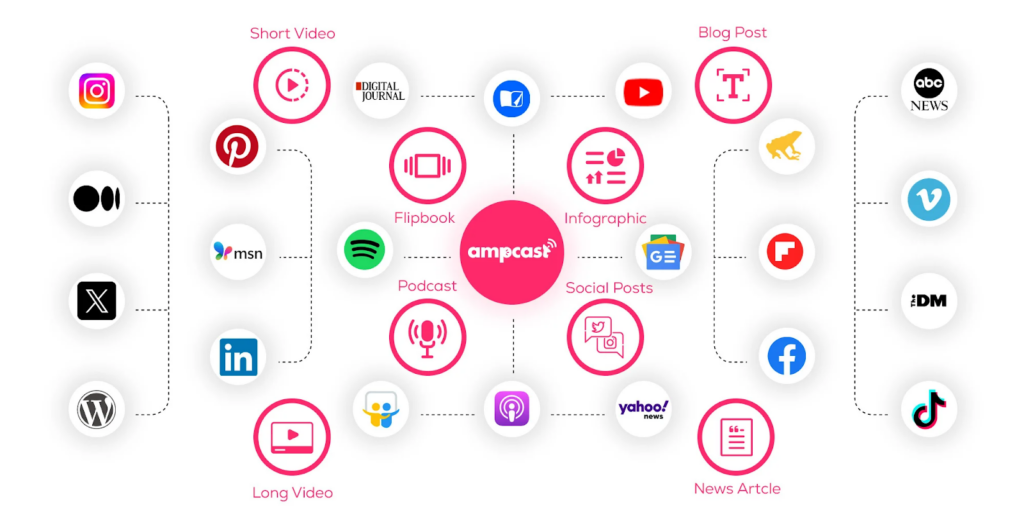
AmpiFire’s AmpCast AI was built to address that limitation. Instead of relying on a single press release, AmpCast converts your announcement into eight content formats, including news articles, blog posts, videos, short-form clips, podcasts, infographics, slideshows, and social updates. Each format is structured to fit the platform where it appears, so your message works naturally across search engines, video platforms, audio apps, and social networks.
After content creation, AmpCast AI distributes those assets across 300+ high-authority websites and platforms, such as Spotify, Apple Podcasts, YouTube, and Pinterest. This process places your announcement in multiple locations where potential customers already spend time. The result is broader exposure and longer-lasting visibility than a single press release that fades within days, regardless of whether it was sent as a PDF or a Word document.
Ready to Go Multi-Channel? Try AmpCast AI Today.
Frequently Asked Questions (FAQs)
Should a press release be sent as an attachment or in the email body?
Paste the full press release into the email body and attach a Word document as a secondary option. Inline text allows journalists to read the announcement immediately without downloading a file.
The Word attachment provides a clean version they can edit or save if needed. This approach reduces friction while still offering flexibility.
Can a press release be sent as a PDF?
Yes, a press release can be sent as a PDF in certain situations. PDF works well for financial disclosures, investor announcements, or releases that include branded layouts and approved language that must remain unchanged.
However, for routine media outreach, PDF can slow down editing and copying. If you send a PDF, include the full text in the email body as well.
What file format do journalists prefer for press releases?
Most journalists prefer press release content placed directly in the email body or attached as a Word document. Both formats allow immediate copying and editing without additional steps.
While preferences vary by newsroom, PDFs are generally less convenient for deadline-driven reporting.
Does the format of a press release affect whether it gets published?
Format alone does not determine whether a press release gets published. However, it affects how easily a journalist can review and use the content.
Editable formats, such as email text or Word documents, support faster processing. When multiple releases compete for attention, ease of use can influence which stories move forward.
How does AmpiFire’s AmpCast AI outperform traditional press releases?
Traditional press releases rely on a single document and limited media pickup. AmpiFire’s AmpCast AI expands one announcement into eight separate content formats, then distributes them across 300+ high-authority platforms.This approach places your message in search results, video feeds, podcast platforms, news sites, and social networks at the same time. Rather than depending on one round of outreach, it builds ongoing visibility across multiple channels where potential customers already spend time.
*Note: Pricing and/or product availability mentioned in this post are subject to change. Please check the retailer’s website for current pricing and stock information before making a purchase.